A general chatbot knows the world and nothing about your organisation. It can't give a manager last month's figures for their area, find the policy that covers a situation, or explain how to fix a wrong entry in their app. And once you give it the database, the hard question arrives: how do you stop it showing someone data they aren't allowed to see?
As a volunteer, I've spent the past year building an AI agent for a community organisation that answers exactly those questions. Its managers use it every day, in English or Tagalog, from a staff portal or a chat widget inside the organisation's own apps.
I came to AI from 25 years of test automation, and that mattered more than any model choice. Most of the work wasn't making the agent clever. It was making it trustworthy.
One front door, specialist rooms behind it
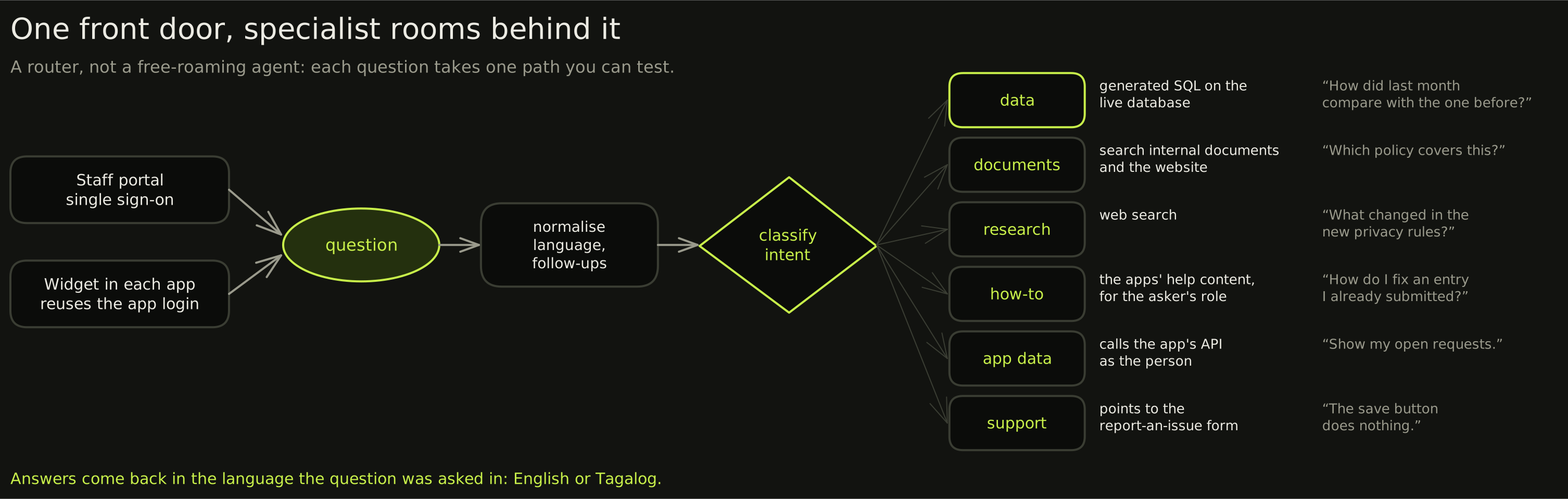
It's a LangGraph router, not a free-roaming agent: easier to test, and easier to debug. The widget reuses the login the person already has in the app, so when the agent calls the app's API it does so as them, with their permissions and never more. A fast cloud model answers by default, and the document index re-reads the website every week, re-embedding only the pages that changed.
Answering only what each person may see
The model never decides who sees what. Scope is added to the SQL after the model writes it, at one enforcement point:
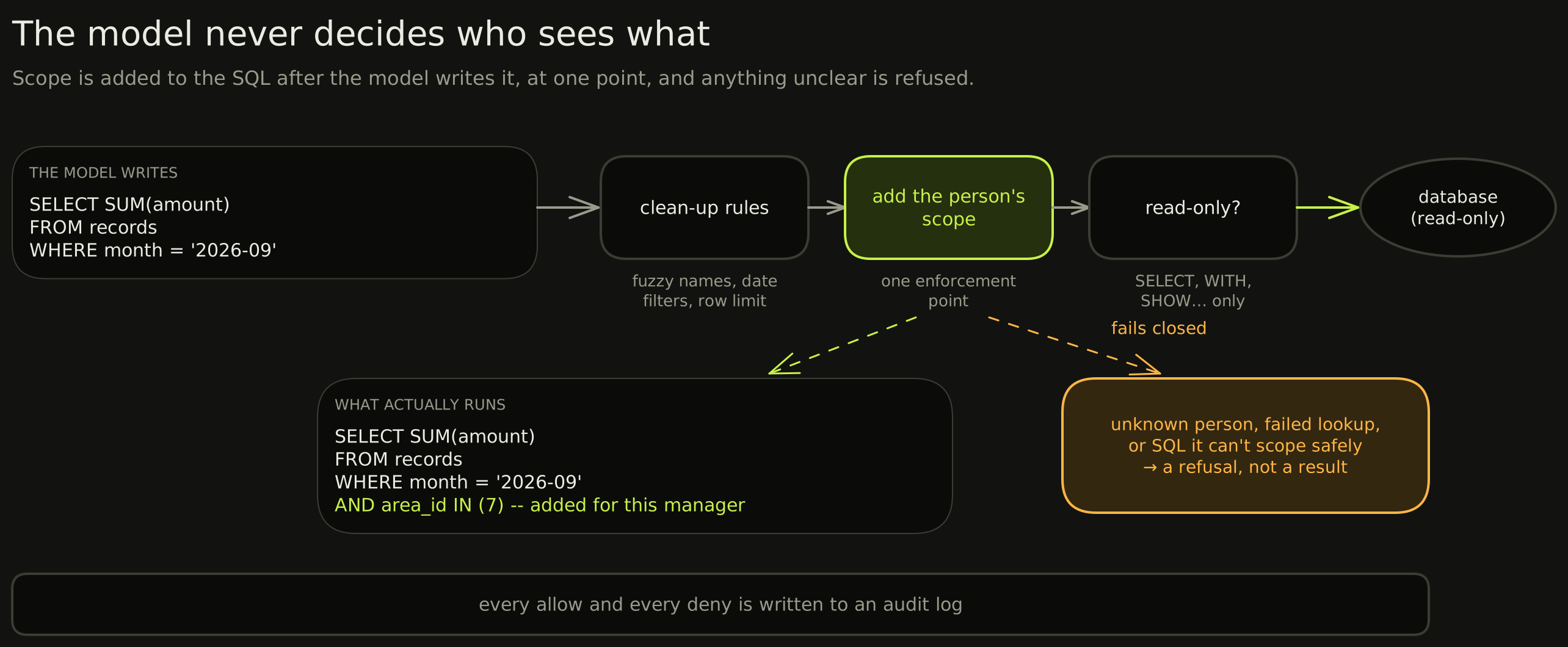
It fails closed: anything it can't scope safely is refused. Live testing proved the point by accident. In queries without table aliases, the filter mistook WHERE for an alias, and instead of leaking data, those queries simply failed. (In the widget, the app's own API does this job.)
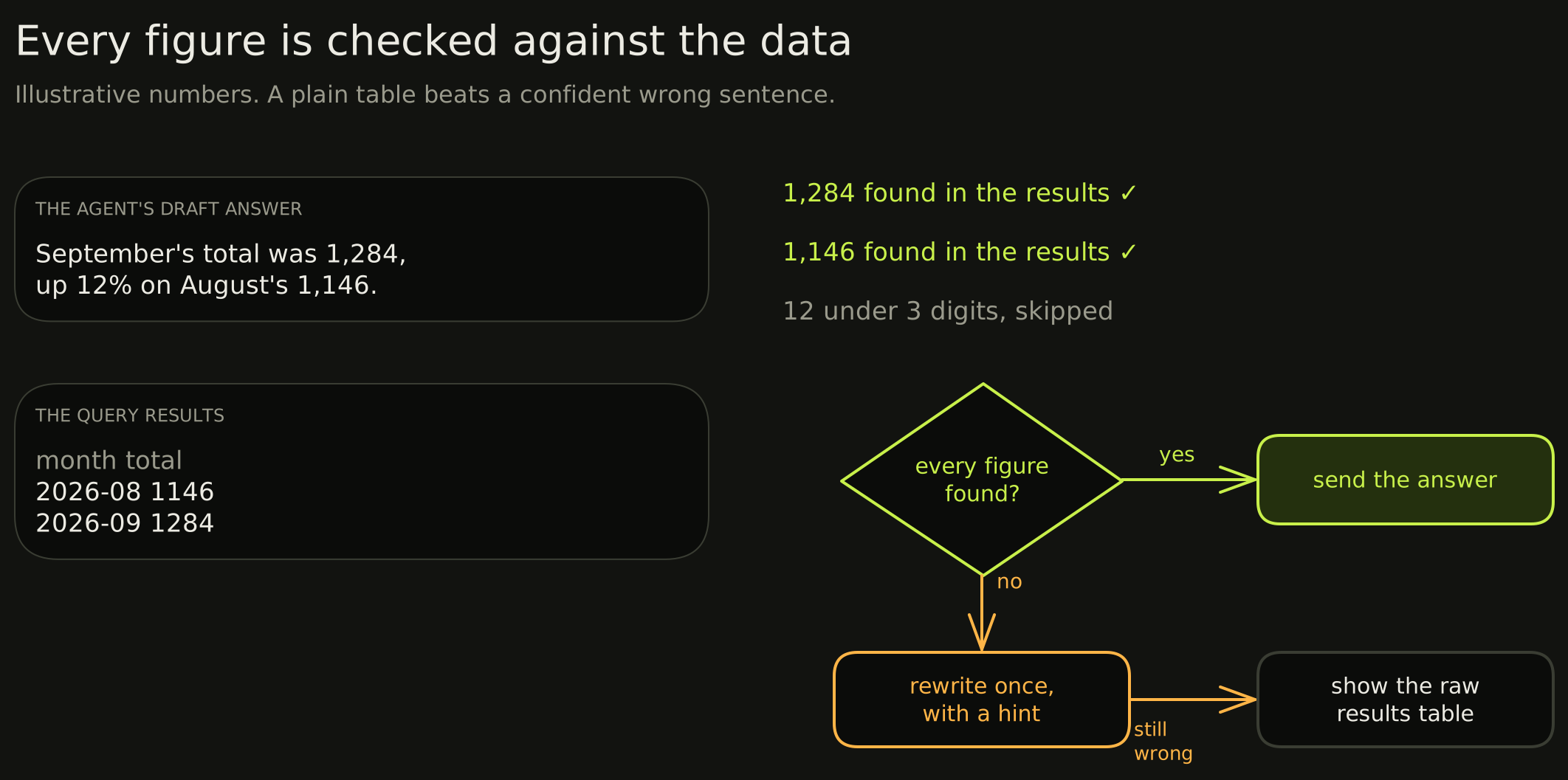
Checking its own numbers
Nobody double-checks a figure that sounds right, so the agent does it for them:
From complaint to fix
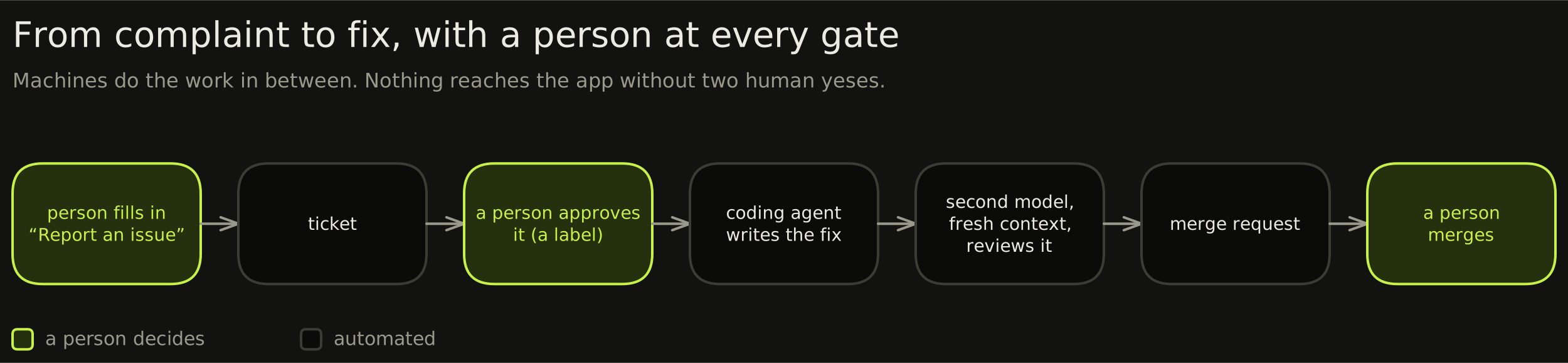
The coding agent once shipped two bugs that passed its own tests: a reordered list that other code read by position, and a "follow the existing pattern" fix that found only one of two parallel implementations. More steps didn't help. A diff tool, two rules written from those failures, the reviewer and real screenshots did. More attempts don't fix checks that can't see the failure.
Three failures worth sharing
The search that quietly stopped searching
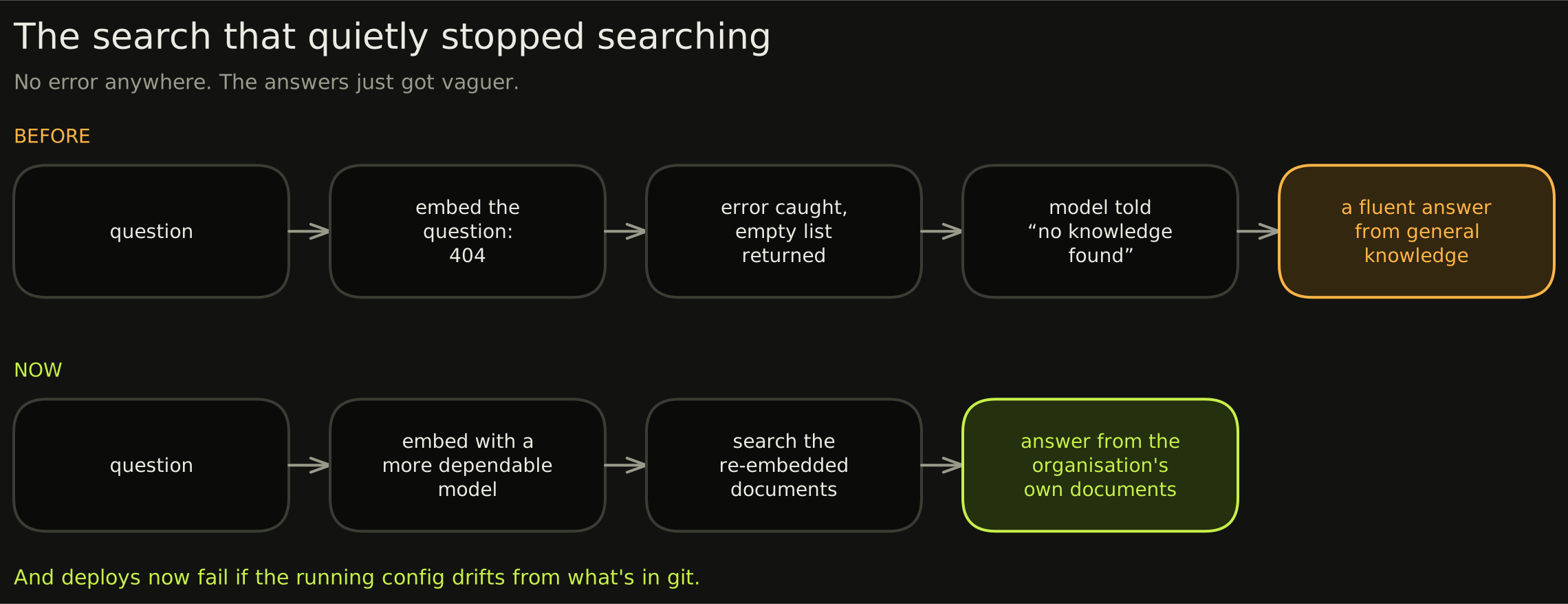
The same evening, I found the deploy config still defaulted to the dead endpoint: the next deploy would have quietly undone the fix.
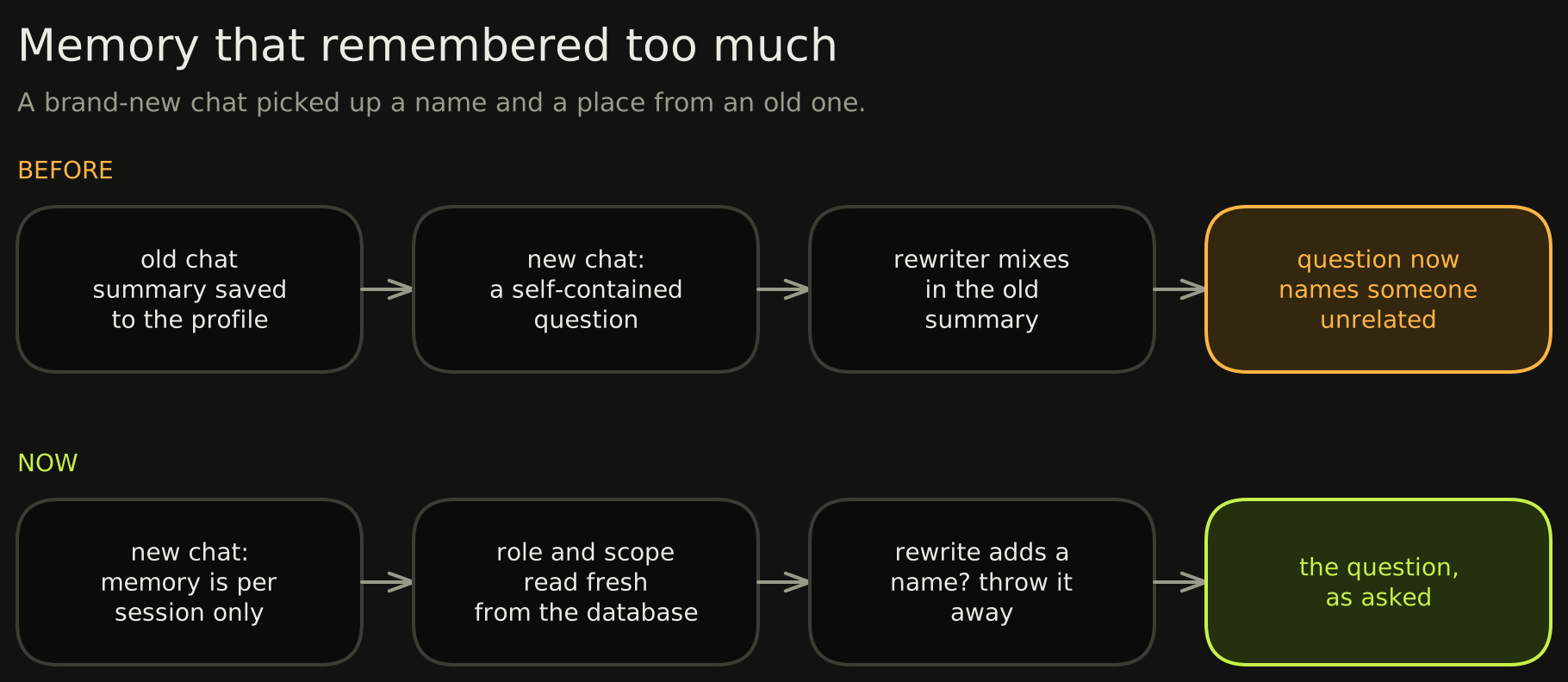
Memory that remembered too much
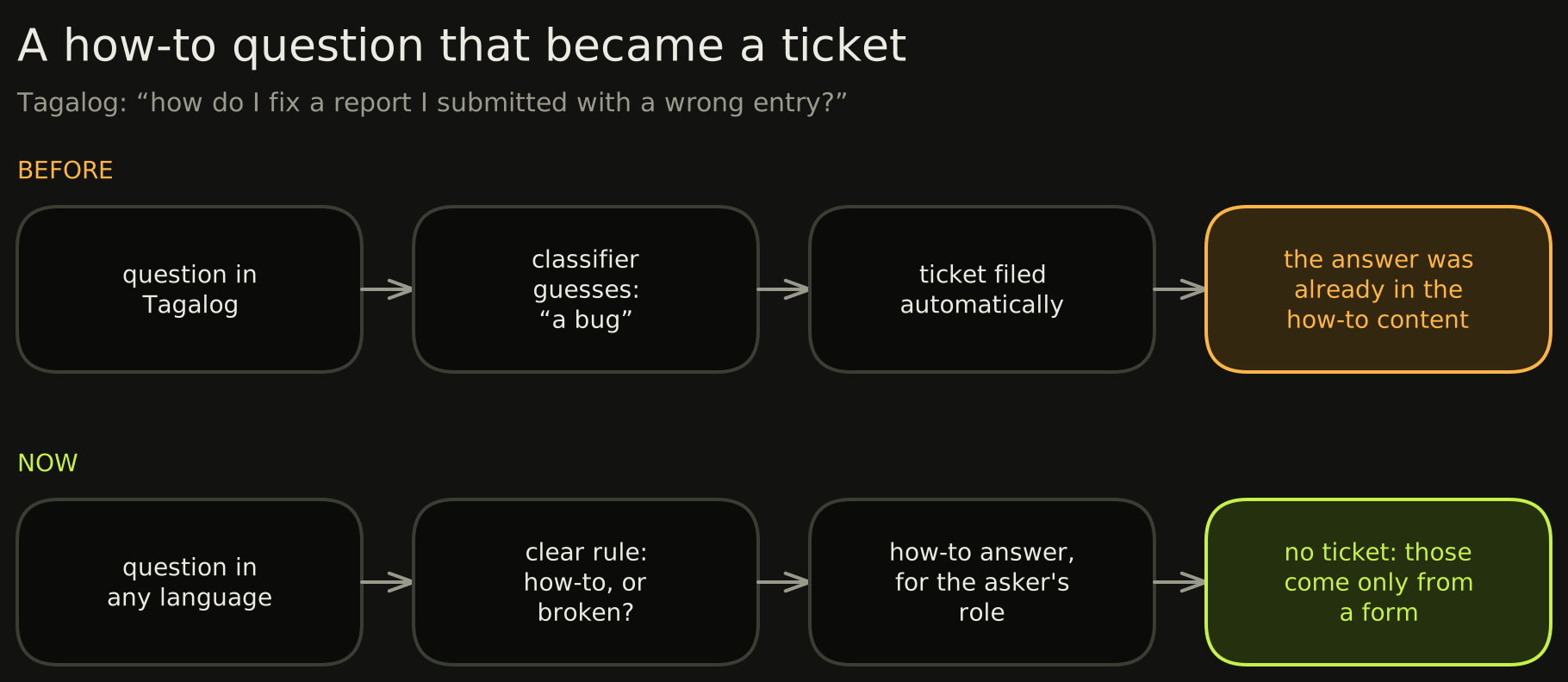
A how-to question that became a ticket
By the numbers
- 650+ commits since September 2025, as a volunteer.
- Nearly 500 automated tests; every merge deploys to the test environment.
- Single sign-on for the staff portal, with a shared identity provider rolling out across the apps.
If you're building one
- Keep access control out of the model. Add scope after the SQL is written, and fail closed.
- Check the numbers against the data. A table beats a confident wrong sentence.
- Make failure loud. My quietest bug was the most dangerous.
- Put a person in front of anything irreversible.
- Test it like software, because it is.
If your organisation has its own documents, data and apps and you'd like an assistant like this, get in touch.